
To make a change to an existing page’s content, click the article name or search for an article using the Filter or drop-downs in the Page Content Manager.
If you are searching for a page whose name is used multiple times or is of a specific classification, check the “Category” column to differentiate.
To unpublish a page, you can click the Status icon for the appropriate line (green = published, red = unpublished)
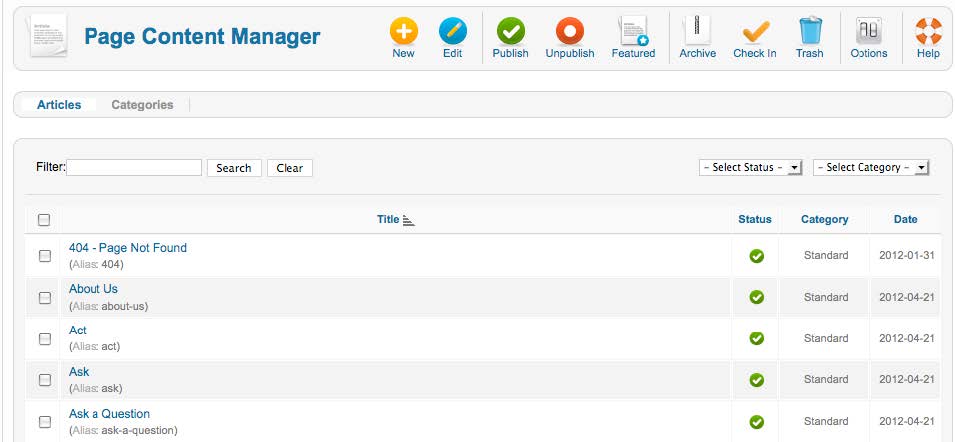
Note: After searching for a page, be sure to hit “Clear” to display all pages again.